
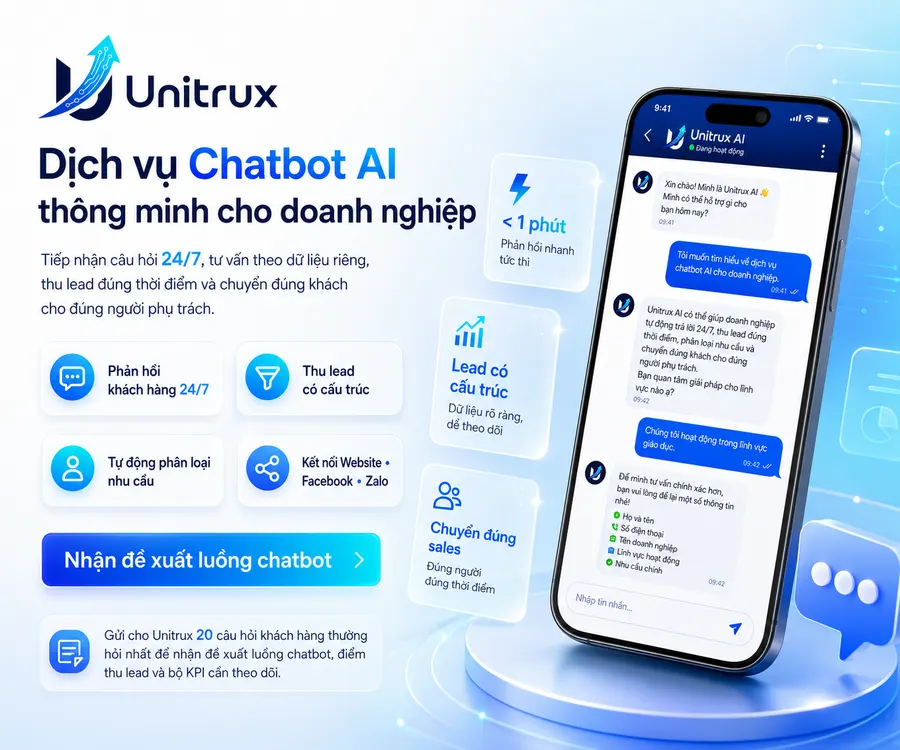
AI Chatbot Services for Businesses: 24/7 Customer Support, Consultation, and Lead Generation
A customer sends a message at 10:00 p.m. but does not receive a response until the following morning. Employees repeatedly answer the same questions about pricing, services, and policies every day. Meanwhile, customer information remains scattered across Facebook and Zalo inboxes, websites, and separate Excel files.
This is more than a slow-response problem. Businesses may be losing potential customers at the exact moment when their interest and purchase intent are at their highest.
A properly implemented AI chatbot does more than send automated replies. It must understand what customers are interested in, provide information based on the company’s approved data, collect relevant details at the right time, classify customer needs, and transfer each conversation to the appropriate consultant.
Unitrux provides AI chatbot services for businesses with three connected objectives: improving the customer experience, reducing repetitive workloads, and creating measurable data for marketing and sales teams.
What is an AI Chatbot for Businesses?
An AI chatbot for businesses is a system that automatically receives and processes customer conversations across channels such as websites, Facebook, Zalo, Instagram, WhatsApp, and internal platforms.
Depending on the company’s objectives and existing infrastructure, the chatbot can be designed to:
- Answer frequently asked questions.
- Provide product or service consultations.
- Receive customer inquiries outside business hours.
- Collect names, phone numbers, and customer requirements.
- Classify customers based on their level of interest.
- Support appointment booking or consultation registration.
- Transfer conversations to the appropriate employee.
- Synchronize data with Google Sheets or a CRM system.
- Send notifications when a high-priority lead requires prompt attention.
The key difference lies in how the chatbot uses data. A chatbot that relies solely on fixed scripts can handle simple questions effectively but may struggle when customers express the same needs in different ways.
An AI chatbot, by contrast, can be built using a company’s proprietary knowledge base, including pricing information, policies, procedures, product details, and frequently asked questions. However, AI cannot automatically understand a business accurately when the input data has not been standardized or supported by clear control rules.
The quality of a chatbot therefore depends not only on the technology but also on the data, conversation design, human handover process, and measurement system behind it.
When Is an AI Chatbot Suitable for a Business?
Not every business needs to begin with a complex system. An AI chatbot is particularly relevant when a company is experiencing one or more of the following situations.
1. Customers Frequently Send Messages Outside Business Hours
Customer needs do not always arise during standard working hours. A chatbot can receive inquiries, provide initial information, and record customer requirements for employees to continue handling later.
2. Employees Repeatedly Answer the Same Questions
Questions about prices, opening hours, policies, procedures, available appointment slots, and service usage can take up a significant amount of the team’s time.
A chatbot can process repetitive information while employees focus on in-depth consultation, negotiation, and customers with clearly defined needs.
3. Message Volume Is High, but Customer Data Is Fragmented
A business may receive hundreds of conversations without knowing how many people have genuine demand, which services they are interested in, or which employee has handled each inquiry.
A well-designed chatbot flow transforms conversations into structured data instead of merely increasing message volume.
4. Employees Provide Inconsistent Responses
Each employee may use a different consultation approach, provide inconsistent information, or overlook important questions.
A standardized knowledge base and conversation flow help maintain greater consistency in the information delivered to customers.
5. The Business Cannot Measure Results from Conversations to Sales
Counting the total number of messages does not indicate whether the chatbot is generating potential customers.
The system needs to connect the full journey, including the traffic source, content viewed by the customer, conversation history, collected information, appointments, and sales follow-up results.
What Can an AI Chatbot Help a Business Accomplish?
1. Customer Consultation and Support
The chatbot can answer common questions using content that has been reviewed and approved by the business. When a question falls outside the available data or requires professional consultation, the system transfers the conversation to an employee.
The objective is not to make the chatbot answer every possible question. Its role is to handle the information that can be automated accurately and recognize when human involvement is required.
2. Lead Collection and Classification
Instead of asking customers to complete a long form at the beginning, the chatbot can collect information progressively throughout the conversation.
Depending on the business model, the collected data may include:
- Full name and phone number.
- Product or service of interest.
- Service location.
- Expected time of use.
- Estimated budget.
- The problem the customer wants to solve.
- Priority level or preferred contact time.
Based on this information, lead-classification rules can be established to route each potential customer to the appropriate employee.
3. Appointment Booking Support
For spas, salons, training centers, clinics, consulting firms, and other service businesses, the chatbot can receive appointment requests, collect initial information, and guide customers in selecting a suitable time.
The ability to confirm appointments automatically depends on the existing booking system and the integration scope of each project.
4. Sales Follow-Up Support
The chatbot can send data to Google Sheets, a CRM platform, or an internal management system. When a customer meets predefined conditions, the system sends a notification so an employee can take over.
This helps reduce situations in which customers have submitted their information but are not assigned to anyone or are contacted too late.
5. Capturing New Questions from the Market
Conversation history is an important source of data for understanding what customers are interested in, where they commonly hesitate, and which questions have not been answered effectively.
This data can be used to update the chatbot, improve website content, refine consultation scripts, and develop new marketing topics.
The AI Chatbot Implementation Process at Unitrux
Step 1: Define the Business Objective
Before selecting a technology, Unitrux works with the client to determine the result the chatbot is expected to create.
Common objectives include:
- Reducing repetitive questions for employees.
- Receiving inquiries outside business hours.
- Collecting potential customer information.
- Providing consultation and recommending services.
- Supporting appointment booking.
- Classifying customer needs.
- Providing post-purchase customer support.
Each objective requires a different conversation flow, data-collection process, and set of KPIs. Without a clearly defined outcome, the chatbot may operate continuously without creating measurable business value.
Step 2: Review the Existing Customer Journey
Unitrux reviews how customers currently discover and contact the business:
- Which channels do customers come from?
- What content do they usually view before sending a message?
- Which questions appear most frequently?
- How are employees currently responding?
- What information must be collected before a consultation?
- When should a conversation be transferred to a human employee?
- Where is the conversation data currently stored?
The review identifies which steps can be automated and which stages still require human involvement.
Step 3: Build the Knowledge Base
The chatbot’s knowledge base may include:
- Frequently asked questions.
- Product and service information.
- Pricing or quotation principles.
- Service delivery procedures.
- Warranty, return, and customer-support policies.
- Instructional documents.
- Case studies.
- Content approved by the business.
- Questions the chatbot is not permitted to answer automatically.
The data is cleaned, categorized, and managed by version. Sensitive information and content requiring employee confirmation are assigned separate processing rules.
Step 4: Design Conversations That Support Conversion
An effective conversation should not begin by asking the customer to provide too much information.
The chatbot first creates value by answering the customer’s initial question. It then requests the information required to provide more relevant consultation.
The conversation flow may follow this sequence:
- Identify the customer’s needs.
- Provide relevant information.
- Ask qualification questions.
- Collect contact information.
- Confirm the customer’s request.
- Transfer the conversation to an employee or guide the customer to the next step.
Every question must serve a clear purpose. Data should not be collected simply because the system is capable of collecting it.
Step 5: Establish Human Handover Rules
A chatbot cannot handle every situation. Unitrux therefore works with the client to define cases that require transfer to a human consultant, including:
- The customer requests to speak with a consultant.
- The question falls outside the knowledge base.
- The customer requires a customized quotation.
- A complaint or sensitive issue arises.
- The lead meets high-priority purchasing criteria.
- The conversation does not reach a result after a predefined number of steps.
When the chatbot transfers a conversation, the employee receives the complete conversation history and collected information. This prevents the customer from having to repeat the same details from the beginning.
Step 6: Connect Data and Systems
Depending on the project scope, chatbot data can be connected to:
- Google Sheets.
- CRM platforms.
- Appointment-booking systems.
- Email.
- Internal notification tools.
- Performance dashboards.
- Websites, Facebook, or Zalo.
The specific integration capabilities depend on the platform, available APIs, access permissions, and the company’s existing infrastructure.
Unitrux prioritizes the use of client-owned accounts, clearly defined permissions, and a structured handover checklist after implementation.
Step 7: Test, Measure, and Improve
Before the chatbot is officially launched, Unitrux tests the system using multiple ways of expressing the same questions.
The testing process focuses on:
- Answer accuracy.
- The ability to identify customer needs.
- The sequence of questions.
- Data-collection capability.
- Lead-classification rules.
- The human handover process.
- Data storage and synchronization.
- Situations in which the chatbot should not provide an answer.
After launch, conversation history continues to be reviewed to identify new questions, revise content, and optimize conversion flows.
Metrics Tracked During the Implementation of the Unitrux AI Chatbot
Chatbot performance is not measured solely by the total number of messages or users who interact with the system. The Unitrux AI Chatbot measurement framework follows the entire journey—from the moment a customer begins a conversation and submits information to the creation of appointments, sales opportunities, and revenue.
Operational Metrics
- Number of conversations initiated.
- Successful response rate.
- Initial response time.
- Percentage of questions handled automatically.
- Percentage of conversations requiring human handover.
- Successful human handover rate.
Lead-Generation Metrics
- Percentage of users who provide their information.
- Number of leads collected.
- Percentage of qualified leads.
- Most common customer needs.
- Sources generating leads.
- Percentage of customers who agree to receive consultation.
Business Metrics
- Number of appointments created.
- Successful employee contact rate.
- Percentage of leads converted into sales opportunities.
- Revenue supported by the chatbot.
- Cost per qualified lead.
During the initial stage, the focus is on creating a reliable data baseline. Once sufficient real-world data has been collected, growth KPIs can be established based on the most important bottlenecks.
Common Mistakes When Implementing a Chatbot
1. Making the Chatbot Answer Every Question
When a chatbot attempts to answer every question, the risk of providing incorrect information or responding beyond the available data increases. Customers may therefore receive answers that are inaccurate or inappropriate for their situation.
2. Using the Same Script for Every Customer
Customers researching prices need clear information. Customers booking appointments need a quick process. Customers experiencing technical issues require accurate support, while complaints need to be prioritized and handled promptly.
When every customer is placed into the same conversation flow, the experience can become lengthy and irrelevant. The chatbot flow needs to be divided according to customer needs, urgency, and the value of each conversation.
3. Requesting Contact Information Too Early
Customers are often unwilling to provide their information before receiving value or understanding how the business can assist them.
The chatbot can first address part of the customer’s needs before requesting contact information for the next stage of consultation.
4. Failing to Establish Human Handover Rules
Not every conversation can be handled entirely by a chatbot.
Without clearly defined transfer conditions, customers may become trapped in a repetitive conversation without receiving a useful outcome. Human handover rules can be based on the question, customer sentiment, priority level, and the system’s ability to provide an accurate response.
5. Failing to Connect Chatbot Data with the Sales Team
When the chatbot collects customer information but no employee is assigned, no notification is sent, and no status is updated, the data remains only a stored record.
A complete process identifies which employee receives each lead, when the customer should be contacted, the outcome of the follow-up, and the next status in the sales journey.
6. Measuring Only the Number of Messages
The total number of messages reflects the level of interaction but does not fully demonstrate the value created by the chatbot.
More meaningful indicators include the number of qualified leads, appointments created, and conversions achieved after the sales team takes over.
7. Failing to Update the Knowledge Base
Products, prices, policies, and customer questions can change over time.
When the knowledge base is not updated, the chatbot may continue responding quickly, but its answers gradually become less accurate. Chatbot quality therefore depends not only on technology but also on the process used to manage and update its knowledge.
Can an AI Chatbot Replace Employees?
An AI chatbot should not be viewed as a tool that completely replaces people.
Chatbots are suitable for repetitive tasks such as receiving inquiries, providing initial information, collecting data, and classifying customer needs. Employees continue to play an important role in in-depth consultation, complex problem-solving, negotiation, and relationship-building.
The most effective model allows chatbots and employees to operate within the same process: the chatbot handles standardized tasks, while employees focus on situations that require experience, judgment, and human interaction.
Why Do Businesses Choose Unitrux to Implement AI Chatbots?
Unitrux does not approach a chatbot as an isolated tool.
The solution is built in connection with the customer journey, content, website, marketing data, and sales process.
Each project is developed according to the following principles:
- Clearly defined business objectives.
- A knowledge base built from the company’s own data.
- Conversations designed around customer needs.
- Clearly established human handover rules.
- Structured data storage.
- KPIs defined before launch.
- Client ownership of accounts and data.
- A structured testing and handover checklist.
- A continuous process for updating, measuring, and improving the system.
Unitrux begins with a focused scope, measures actual results, and then expands the system to additional channels or deeper integrations.
Frequently Asked Questions About AI Chatbot Services
Which Channels Can an AI Chatbot Be Integrated With?
Depending on the existing infrastructure and access permissions, a chatbot can be deployed on websites, Facebook, Zalo, and selected internal systems. The exact scope must be assessed before implementation.
Are AI Chatbots Suitable for Small Businesses?
Yes. They can be suitable for small businesses that receive many repetitive questions, respond slowly to customers, or need to collect information outside business hours. A focused objective usually provides a clearer starting point than an unnecessarily complex system.
How Long Does It Take to Implement a Chatbot?
The implementation timeline depends on data readiness, the number of questions, the number of connected channels, and integration requirements. A basic system can be deployed more quickly when the business has already prepared the necessary content and access permissions.
Does the Business Need to Prepare Data in Advance?
Yes. Useful materials include frequently asked questions, service information, pricing, policies, consultation procedures, and approved content that the chatbot is permitted to use.
Can a Chatbot Automatically Close Sales?
A chatbot can provide consultation, collect data, recommend the next step, and transfer leads to the sales team. The ability to complete a transaction depends on the product, payment process, integration level, and the customer’s final decision.
Does the Chatbot Need to Be Updated After Implementation?
Yes. The knowledge base and conversation flows need to be updated whenever the business changes its services, prices, policies, or receives new customer questions.
Receive a Customized AI Chatbot Flow Proposal for Your Business
An effective chatbot does not begin with technology. It begins with the questions customers are actually asking and the results the business expects from each conversation.
Provide Unitrux with:
- The 20 questions customers ask most frequently.
- The channels currently receiving customer messages.
- The information that needs to be collected from customers.
- The current process used by the team to handle leads.
Based on this information, Unitrux will propose a suitable conversation flow, lead-capture points, human handover rules, and KPI framework for the business.
--> Contact Unitrux to receive an assessment of your current consultation flow and a recommended AI chatbot implementation scope.
Đội ngũ Unitrux · Nội dung được biên tập theo tiêu chuẩn nội dung hữu ích và đáng tin cậy của Unitrux.